MD Viewer for Windows#
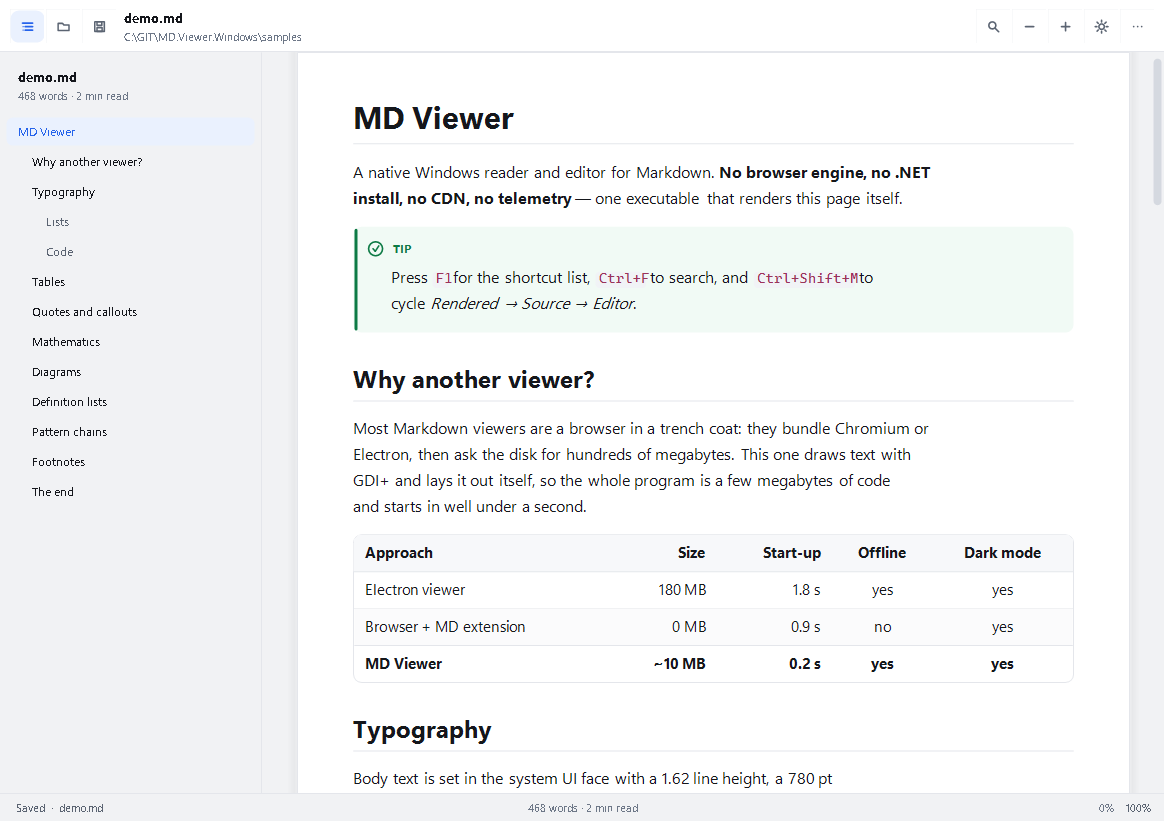
A native Markdown reader and editor for Windows 10/11 — no browser engine, no .NET install,
no CDN, no telemetry. One self-containedmdview.exethat lays out and paints Markdown itself.
📥 Download for Windows — installer 34.8 MB · portable exe 50 MB
Read this in: English · Русский
What it is#
A Markdown viewer that behaves like a native Windows application, because it is one: a WinForms
shell over a hand-written Markdown engine and a hand-written layout/paint pipeline, both drawing
through GDI+.
Most "Markdown viewers" are a browser in a trench coat. This one measures every glyph itself, so
it starts in well under a second, uses no RAM beyond its own layout, and renders identically in
light and dark mode without a single web asset.
| Three view modes | Rendered · Source (read-only, highlighted) · Editor (with optional live preview) |
| Two themes | Light and dark, plus follow Windows (Ctrl+Shift+L cycles) |
| Tabs | Open several documents; per-document scroll, caret and mode state |
| Outline | Heading sidebar with scroll-spy, click to jump, Ctrl+\ to toggle |
| Find | Ctrl+F in every mode, with match count and next/previous |
| Zoom | Ctrl+wheel, Ctrl+plus/minus, 60 %…260 %, remembered per session |
| Export | Standalone HTML, plain text, PNG, Markdown copy — and Print (Ctrl+P) |
| Command line | File, mode, theme, zoom, width, line, anchor, print, export, screenshot |
| Live reload | Watches the file on disk and reloads it when it changes |
Requirements#
Windows 10 1809+ or Windows 11 (x64).
Nothing else. The shipped
mdview.exeis self-contained: no .NET runtime, no WebView2, no
Visual C++ redistributable, no fonts to install (it uses Segoe UI / Consolas / Cambria, which
ship with Windows).
That matters because Windows itself carries only .NET Framework 4.8 — it does not include
.NET 8, 10 or 11, and .NET 11 is still a release candidate. A runtime-dependent build would not
start on a clean machine; this one carries its own runtime: of the 52.5 MB file, roughly 50 MB is
that runtime and 74 KB is the application itself (src/MdViewer.App/bin/.../mdview.exe).
Quick start#
Install (recommended): run MD.Viewer-1.3.0-setup.exe — it puts the viewer into
C:\Program Files\Deynekin\MD.Viewer, adds it to Installed apps, offers shortcuts for the Start
menu, desktop, Quick Launch and Favorites, and registers .md. Details and silent switches:
docs/INSTALLER.md.
Portable: mdview.exe next to your documents, no installation at all.
# open a file
.\mdview.exe notes.md

# open it in the editor, dark, zoomed to 125 %, scrolled to line 40
.\mdview.exe notes.md --mode editor --theme dark --zoom 1.25 --line 40

# export a standalone HTML next to the source
.\mdview.exe notes.md --export html

# print the rendered document (dialog, choose "Microsoft Print to PDF")
.\mdview.exe notes.md --print
Launching with no arguments restores the previous session (up to 8 tabs); --no-session starts
empty. Dragging .md files onto the window opens them in new tabs.
View modes#
| Mode | Shortcut | What you get |
|---|---|---|
| Rendered | Ctrl+R |
The laid-out document: typography, tables, callouts, code cards, diagrams |
| Source | Ctrl+U |
The raw Markdown, read-only, syntax-coloured, with line numbers |
| Editor | Ctrl+E |
A real editor: soft wrap, block indent, list continuation, undo, find, Ctrl+B/I/K |
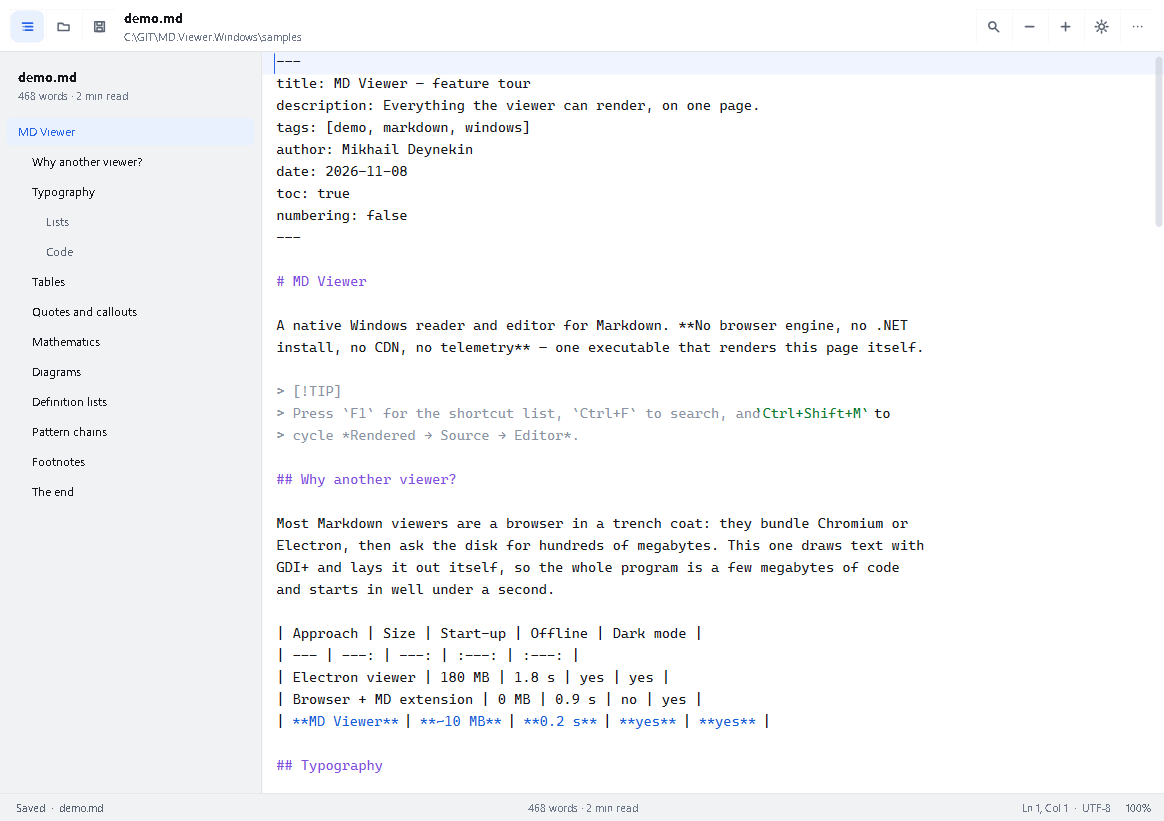
Ctrl+Shift+M cycles through the three. In editor mode Ctrl+Shift+P splits the window into
editor + live preview; the preview re-renders 220 ms after you stop typing.
Files always open rendered; the last mode is not restored on start-up. If you would rather come
back to the mode you left, switch on View → Remember the last view mode (or pass --mode).
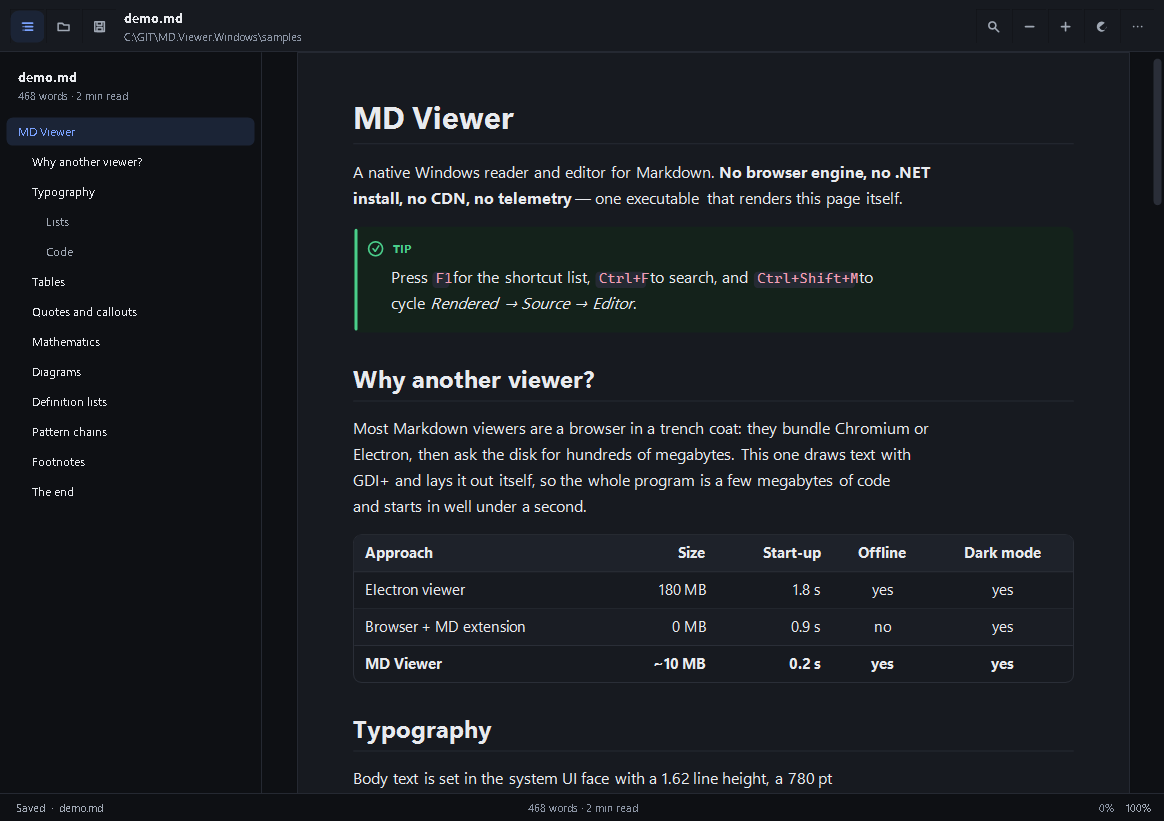
The theme button (and Ctrl+Shift+L) flips light ↔ dark in one click — it never walks through a
state that looks the same as the current one. View → Theme → Follow Windows puts it back under
system control, and the button then carries a dot to show that.
Markdown support#
CommonMark core plus the GFM and MD.Scribe extensions. The full matrix, including what degrades
gracefully, is in docs/MARKDOWN.md.
Headings (ATX/setext,
{#id}, numbering), emphasis, strike, mark, sub/superscript, code spansFenced code with
title="…", indented code, language-aware highlighting for ~20 language
families, copy button per blockTables with per-column alignment
Lists: nested, ordered with start values, task lists with checkboxes
Block quotes, GitHub alerts (
> [!NOTE]…> [!CAUTION]), definition listsFootnotes (reference and inline),
[TOC], YAML front matter, emoji shortcodesMath:
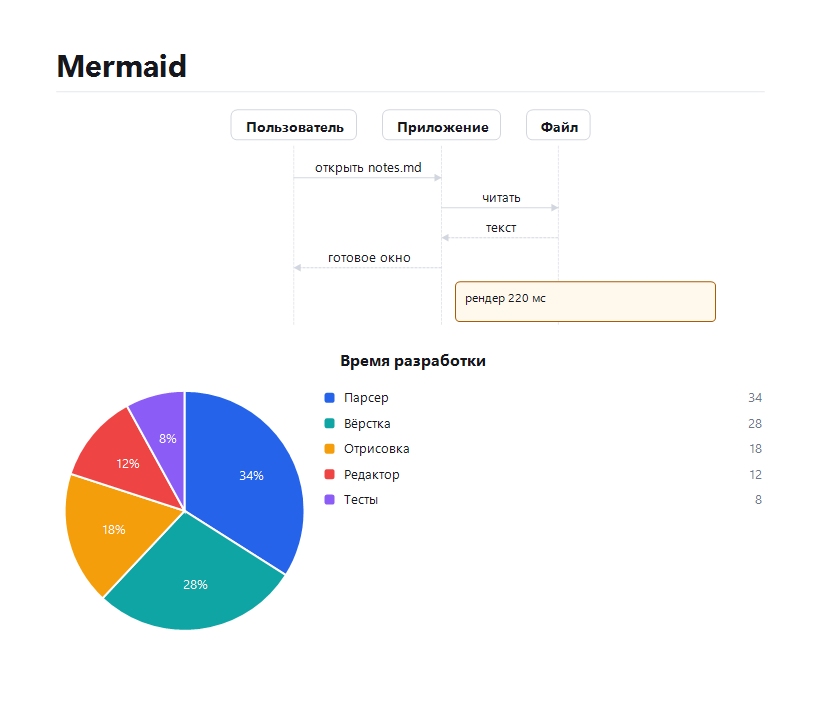
$inline$and$$display$$through a TeX-subset typesetterMermaid drawn natively —
flowchart/graph,sequenceDiagram,pie,classDiagram,
stateDiagram-v2,ganttandjourney; unsupported types fall back to a readable source card
with a diagnosticImages resolved relative to the document, captions from alt text, graceful placeholder when a
file is missing, click to open in the default viewer; links to other.mdfiles open in a new tabTwo-column tables double as a glossary: hovering a term in the body shows its definition
Optional typographic replacements (
--,---,...) and a switch for single-newline breaks
Raw HTML in a document is never executed — it is shown as source in a labelled card. That is
a security decision, not a missing feature.
Command line#
mdview [file.md] [options]| Option | Meaning |
|---|---|
--mode render|source|editor |
Start in a view mode |
--theme light|dark|auto |
Colour theme (auto follows Windows) |
--zoom 1.25 / 125% / +10% |
Zoom factor |
--width <px> |
Reading column width (380…2400) |
--toc / --no-toc |
Show or hide the outline sidebar |
--line-numbers / --no-line-numbers |
Line numbers in source/editor |
--wrap / --no-wrap |
Wrap long code lines |
--serif / --sans |
Reading font family |
--numbering |
Number the headings |
--line <n>, --anchor <id> |
Jump to a line or a heading anchor |
--maximized, --fullscreen |
Window state |
--watch / --no-watch |
Reload on file change |
--export html|text|png|md, --out <file> |
Headless export (no window) |
--print |
Open the print dialog |
--lang ru|en |
Interface language |
--no-session |
Ignore the saved session |
--reset-settings |
Restore defaults and exit |
--diagnostics |
Print fonts, DPI, theme and settings path |
--screenshot <file> |
Capture the live window (development, see docs/TESTING.md) |
--version, --help |
Version / this list |
Exit codes: 0 success, 2 bad arguments or missing input.
Keyboard#
Ctrl+O open · Ctrl+S save · Ctrl+Shift+S save as · F5 reload
Ctrl+R rendered · Ctrl+U source · Ctrl+E editor · Ctrl+Shift+M cycle
Ctrl+F find · F3 find again · Esc close find
Ctrl+W close tab · Ctrl+T new tab · Ctrl+Tab next tab
Ctrl+plus / Ctrl+minus / Ctrl+0 zoom · Ctrl+Shift+L theme
Ctrl+\ outline · Ctrl+Shift+P editor preview · Ctrl+P print · F1 shortcuts
Design notes#
The interface is a deliberately small design system rather than a pile of default controls:
an 8-pt spacing rhythm, one accent colour, two neutral scales, a 32 px toolbar, a reading sheet
with real margins, and a type scale that keeps the measure between 60 and 85 characters.
Every colour pair that carries text is checked for WCAG contrast in the test suite, so a palette
tweak cannot silently make a label unreadable.
Details, tokens and the reasoning: docs/DESIGN.md.
C# 15#
The app targets net11.0-windows and is written in C# 15. Three of its features are used for
real, not for show:
Union types —
FrontMatterValueis a union ofstring,IReadOnlyList<string>,booland
long; front-matter parsing and rendering switch over it exhaustively.Closed hierarchies — the Markdown AST roots (
Block,Inline) areclosed, so every
switchin the renderer and the HTML exporter is compiler-checked for exhaustiveness.Collection-expression arguments — hot lists are created as
List<Block> output = [with(capacity: blocks.Length + 2)];instead of a separate allocation call.
Build from source#
# .NET 11 SDK (C# 15) required — see docs/BUILD.md for the exact version and the
# two environment quirks this workspace has.
pwsh -File build/build.ps1 -Task test      # build + 146 checks
pwsh -File build/build.ps1 -Task publish   # artifacts/publish/mdview.exe (self-contained)
Project layout:
src/MdViewer.Core     Markdown parser, AST, highlighter, Mermaid parser, exporters
src/MdViewer.Render   Theme tokens, text shaping, layout, painting
src/MdViewer.App      WinForms shell: window, views, editor, chrome, CLI
src/MdViewer.Tests    Headless test runner + snapshot and UI smoke tools
docs/                 Architecture, Markdown matrix, CLI, design, testing, build
samples/              Feature tour and a Russian typography sample
What it deliberately does not do#
No network access at all. No update checks, no telemetry, no remote images, no CDN fonts.
A remote image is reported as "not loaded (offline viewer)" instead of being fetched.No HTML/JavaScript execution. Documents cannot run code inside the viewer.
No plugin system. The feature set is the feature set.
Mermaid covers seven diagram types.
erDiagram,gitGraph,mindmap,timeline,
quadrantChart,sankey,xychart,C4andblockshow their source with a clear note; a
diagram that cannot be parsed never breaks the page.Math is a TeX subset, not LaTeX: fractions, roots, sums, Greek letters, sub/superscripts.
Unknown commands render as literal text rather than an error.
Author#
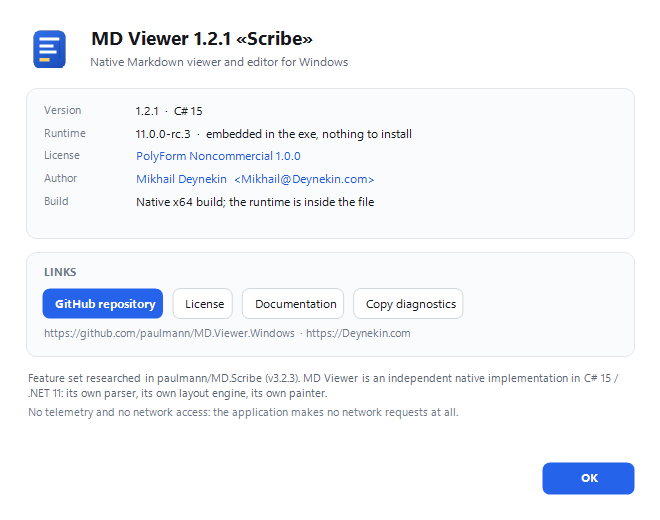
Mikhail Deynekin — Deynekin.com · github.com/paulmann · Mikhail@Deynekin.com
License#
PolyForm Noncommercial License 1.0.0 — see LICENSE.